.png?width=2250&height=647&name=LeadG2-logo_(2).png "LeadG2-logo_(2)")
 Emily Hartzell
1 min read
Beyond the Hype: Making AI Work for Your B2B Strategy
 Brent Tripp : June 8, 2025
You have a call in 10 minutes.
The company has a million activities in HubSpot. You vaguely remember what happened on the last call. There are three open deals. Someone promised something somewhere. And you’re trying to figure out what on earth you should ask next.
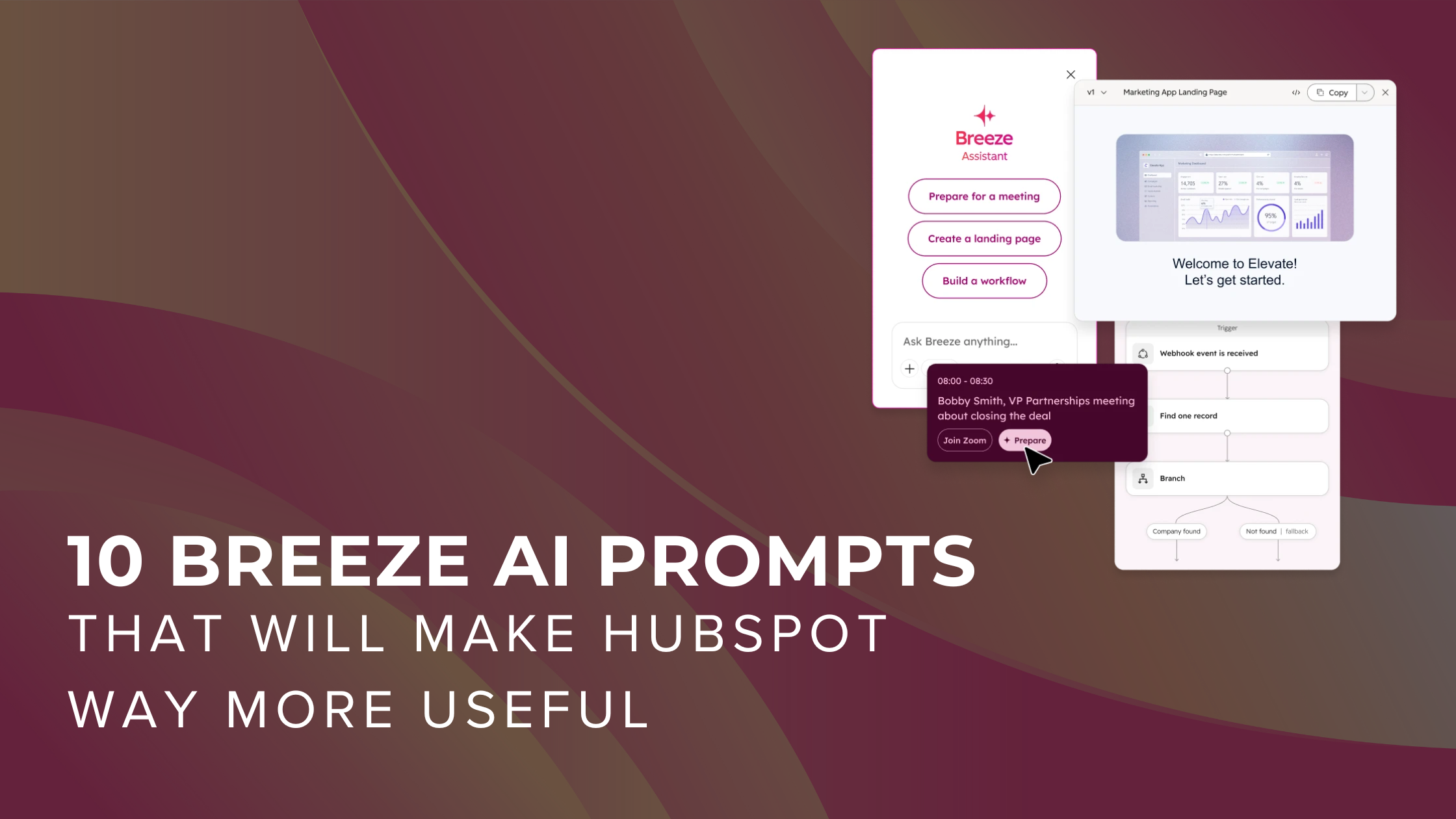
This is exactly when I open Breeze.
One of my favorite things about Breeze is that you don’t have to use it for some giant, complicated “AI strategy.” Some of the best use cases are actually really simple: help me understand this account, prepare me for this meeting, tell me what I’m missing, or help me figure out what I should do next.
But, and this is important, the quality of what you get back depends a LOT on what you ask.
“Write me an email” is fine.
“Using the CRM activity for this company from the last 30 days, draft a short follow-up that references what we actually discussed, identifies the agreed-upon next step, and doesn’t make up any commitments” is much better.
So, here are 10 Breeze prompts I think sales, marketing, and client success teams can actually use in their real work.
You definitely don’t need all 10. Start with one that solves a problem you have today.
This is probably the biggest shift I encourage teams to make when they start using AI inside HubSpot.
Tell Breeze:
And then keep talking to it.
Your first prompt does not have to be perfect.
If the answer is too long, tell it to shorten it. If something feels off, ask where it got that information. If it missed an important detail, point it back to the right activity.
Think of it less like Googling the perfect phrase and more like directing someone who is helping you do the work.
This is one of my absolute favorite uses of Breeze.
Maybe you haven’t talked to an account in three weeks. Maybe someone else owned the relationship before you. Or maybe there is simply SO much activity in HubSpot that you don’t want to click through 17 emails and six meeting notes.
Summarize [COMPANY] using CRM information you can access. Include key contacts, open opportunities, recent interactions, documented commitments, and unresolved questions. Focus on the last [30] days. Cite supporting records or activities and tell me where information is missing.
What changed during that period, and what should I verify before contacting them?
That last part matters. AI can summarize what is there. It can also help you see what is NOT there.
Please do not send another “I was looking at your website and noticed…” email without actually knowing anything about the company.
Breeze can give you a much better starting point.
Research [COMPANY] at [DOMAIN]. Explain what they do, who they serve, and which business priorities are supported by public sources. Connect those findings to questions relevant to [OUR OFFERING]. Cite sources. Separate facts from hypotheses; do not assume they need our services.
What would I still need to learn before deciding whether this is actually a good prospect?
I love that follow-up because research is not the same thing as qualification.
Just because AI found something interesting does not mean the company needs what you sell.
If your calendar is connected—or you point Breeze toward the appropriate CRM records—you can use it to help you walk into a meeting much more prepared.
And you should be specific about what kind of meeting you’re having.
A renewal call should not have the same briefing as a first discovery call.
Prepare a brief for my [MEETING TYPE] with [CONTACT] at [COMPANY]. Use the CRM records and activity you can access. Include recent history, current opportunities, documented commitments, and five questions tied to [MEETING OBJECTIVE]. Distinguish what is known from what I still need to ask.
Turn this into a 60-second briefing I can read before the call.
Boom. Much better than frantically scrolling through HubSpot while everyone is joining Zoom.
This is another really practical one for sellers.
Instead of asking AI for “good sales questions,” give it context about the company and what you’re trying to understand.
Write seven discovery questions for [COMPANY] about [OUR OFFERING]. Cover their goals, audience, current approach, constraints, timing, decision process, and how they measure success. Put the questions in a natural order. Do not treat research assumptions as confirmed needs.
Which two answers would most change our recommendation?
That helps you move from having a giant checklist of discovery questions to understanding which answers actually matter.
This one is probably obvious—but there is a right and wrong way to do it.
Do not just say, “Write a follow-up email.”
Give Breeze the actual confirmed notes from the conversation and tell it what not to invent.
Draft a follow-up email to [CONTACT] about [DEAL OR TOPIC] using these confirmed notes: [NOTES]. Recap the priorities, outstanding questions, and agreed next step. Keep it under [150] words and use a [WARM AND DIRECT] tone. Do not invent agreement, pricing, or dates. Draft only.
Make it 25% shorter and give me three subject lines.
Because, let’s be honest, AI also loves a 900-word email if you let it.
How many HubSpot deals have a Next Step that says something like:
“Follow up.”
Cool. When? About what? With whom? Why?
Breeze can help surface what was actually documented in the account activity and separate that from what it recommends you do next.
Review [DEAL] using only its available CRM information and activity. Identify the next action explicitly documented and cite the supporting activity. Separately recommend what the seller should do next. Draft a next step under 25 words for review. If evidence is insufficient, say seller review needed. Do not update the record.
What would the owner need to confirm before saving this?
I especially like this for managers because it can help make pipeline conversations much more specific.
Speaking of pipeline meetings…
Instead of clicking through every single opportunity, ask Breeze to help identify the ones that deserve a closer look.
Review open deals in [PIPELINE] owned by [OWNER OR TEAM]. Identify known close dates before [TODAY], no logged activity in the last [14] days, missing contacts and blank Next step values where accessible. Return deal, owner, amount, stage, flag and evidence. State the scope and any access limits. Prioritize the five highest-value deals for review; do not change records.
Show open deal amount by stage as a bar chart in [CURRENCY], using the same scope.
A quick note here: missing CRM data is a reason to investigate. It is not automatically proof that your salesperson is doing something wrong.
Also, Breeze-generated visualizations live inside the conversation. They are not automatically becoming saved HubSpot dashboard reports.
Marketing teams: this one is for you.
Breeze can help summarize available marketing email and campaign performance so you can more quickly figure out where you want to dig deeper.
Review [CAMPAIGN OR SENT EMAIL] for [DATE RANGE]. Summarize the metrics available, what improved or declined against [COMPARISON PERIOD OR BENCHMARK] and three questions to investigate. Name the metrics and comparison used. Distinguish observations from possible explanations; do not invent attribution or causation.
What additional data would help us understand the result?
That distinction between “what happened” and “why it happened” is REALLY important.
AI can spot that performance changed.
That does not necessarily mean it knows why.
You did a webinar.
Great.
Please do not let it die in the webinar graveyard.
Give Breeze the approved source content and ask it to help you repurpose what you already created.
Using only this approved source [CONTENT], draft two LinkedIn posts and one short email for [AUDIENCE]. Preserve the central message and factual claims. Use [BRAND TONE] and this call to action [CTA]. Do not add statistics, customer examples or promises that are absent from the source.
Make the examples more specific using only details in the source.
This is where AI can create a TON of leverage for a marketing team without turning your content into generic AI fluff.
Yes. You can even use Breeze to help build workflows.
If you have the appropriate HubSpot access, Breeze can create a workflow draft for you. Workflows created through Breeze are off by default—which is exactly how I would want to start.
Start small. Test it. Look at the enrollment criteria. Look at ownership. Look at every action.
Please do not ask AI to build a workflow and immediately unleash it on 100,000 CRM records.
Create an off [OBJECT]-based workflow named [TRAINING NAME]. Enroll only [EXPLICIT TEST RECORDS AND CONDITIONS]. Add [ACTION] assigned to [OWNER RULE]. Keep re-enrollment off. Do not activate, enroll records now, send emails, or change other properties. Explain any part you could not build so I can review it.
Explain the enrollment filters and expected action in plain language.
This is a GREAT training use case because you still remain in control of what actually gets turned on.
Once you find a prompt that works really well, stop rewriting it every time.
Save it.
You can create reusable prompts with placeholders so you can choose the appropriate CRM record when you need it.
For example: Account Meeting Brief
Select the account. Choose your date range. Let Breeze pull together the information. Then verify the source before you use the answer.
That last sentence is worth repeating: Verify the source before you use the answer.
AI is an incredible accelerator.
It is not a replacement for knowing your customer, understanding your business or using good judgment.
This is probably my biggest recommendation for anyone trying to get their team using AI.
“How do we completely transform our business with AI?”
“What is one annoying thing I do every single week that AI could make easier?”
Pick an account you need to contact. Ask Breeze for a brief. Check where the information came from. Ask it to help you identify the question you should ask next.
Then do it again tomorrow.
That is how AI actually starts becoming useful—not as another shiny tool your company bought, but as part of the work your team is already doing.
At LeadG2, we spend a lot of time helping companies figure out exactly this: how HubSpot, AI, CRM processes and the way your sales and marketing teams actually work can fit together.
Because turning Breeze on is easy. Figuring out where it can genuinely make your team better is where things get interesting.

 Shaye Smith : September 17, 2025
HubSpot’s Loop Marketing Playbook represents a major shift in how organizations approach marketing strategy. Combined with AI Engine Optimization...
.png)
 LeadG2 : September 17, 2026
What's New With HubSpot Breeze Assistant? For the past few years, most of us have learned to interact with AI in roughly the same way: Ask a...